Download Latest Version of Python for Windows
Q
How to download the latest version of Python on my Windows computer?
✍: FYIcenter.com
A
 You can follow this tutorial to download the latest version of Python on your Windows computer:
1. Go to Python download Website.
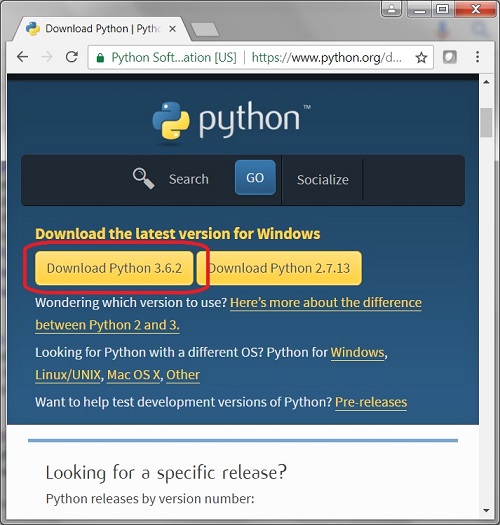
2. Click the "Download Python 3.6.2" button. You see the download file save prompt.
3. Save the download file to your computer, for example \fyicenter\python-3.6.2.exe.
By default, the downloaded file is the latest version of Python for 32-bit Windows systems.
The picture below shows you how to download latest version of Python for Windows:
2018-04-12, ∼3707🔥, 0💬
Related Topics:

