Google Chrome Showing RSS Feeds as XML
Why is Google Chrome Showing RSS Feeds as XML?
✍: FYIcenter.com
 Google Chrome is showing RSS Feeds as XML, because it
has stopped the support of formatted viewing of RSS feeds by default.
Follow this tutorial to see this behavior:
Google Chrome is showing RSS Feeds as XML, because it
has stopped the support of formatted viewing of RSS feeds by default.
Follow this tutorial to see this behavior:
1. Launch Google Chrome 60.
2. Enter the following in the URL input box:
http://dev.fyicenter.com/rss_xml.php
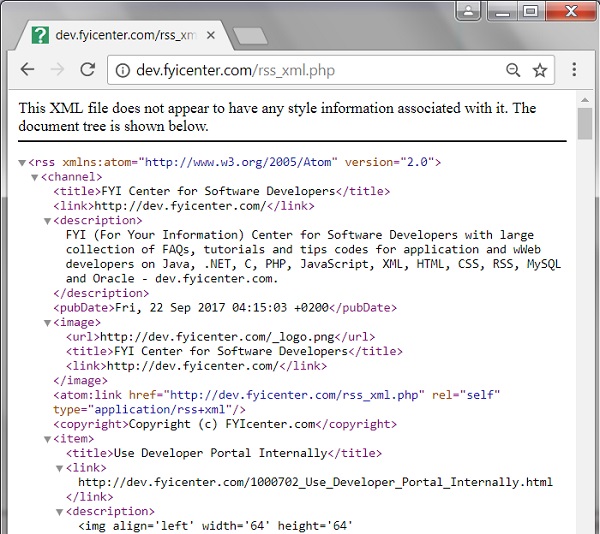
3. Press "Enter" key. You see the RSS feed display in XML format, not formatted as feed items.
As you can see, Google has decided not to have Chrome support formatted viewing of RSS feeds by default. The RSS feed is displayed as XML source code now.
The picture below shows you the behavior of Google Chrome Showing RSS Feeds as XML:
⇒ Install RSS Subscription Extension for Chrome
2017-10-16, ∼3506🔥, 0💬

