Install Demo Business Networks in Playground
How to install other Business Network demo in Hyperledger Composer Playground?
✍: FYIcenter.com
 Hyperledger Composer offers many other demo Business Networks.
You can follow this tutorial to install any of them
in Hyperledger Composer Playground.
Hyperledger Composer offers many other demo Business Networks.
You can follow this tutorial to install any of them
in Hyperledger Composer Playground.
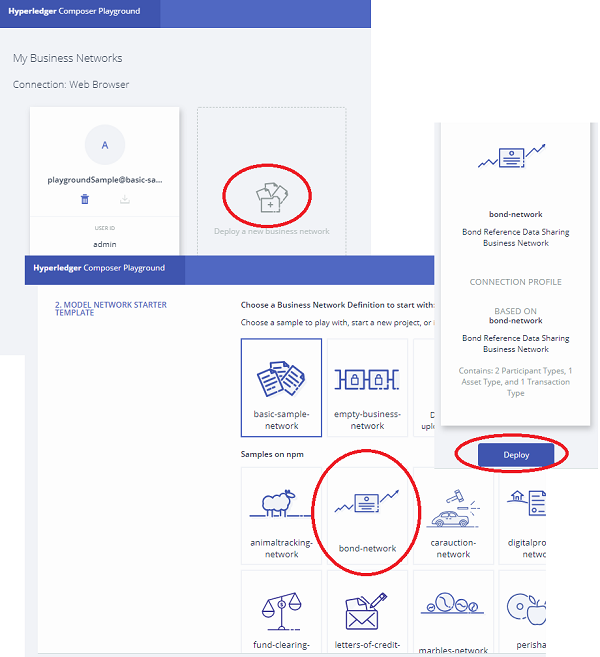
1. Open Hyperledger Composer Playground. You see a list of Business Networks connected to the Hyperledger Fabric simulator in the Web browser.
2. Click the "+" icon at the end of the list. You the "Deploy New Business Network" screen.
3. Scroll down and select "bond-network" from the "MODEL NETWORK STARTER TEMPLATE" section.
4. Click "Deploy" button on the right side of the screen. You see a new demo Business Network installed in the playground.
Â
⇒ Deploy Business Network Archive (BNA) to Playground
⇠Download Business Network from Playground
2020-12-15, ∼1989🔥, 0💬
Related Topics:
