Run Simple EPUB Reader
How to run Simple EPUB Reader to view an EPUB book? I want to use it to read "The Geography of Bliss" EPUB book.
✍: FYIcenter.com
 If you have download "The Geography of Bliss" EPUB book,
GeographyofBliss_oneChapter.epub,
as shown in earlier tutorial, you can follow this tutorial
to view the EPUB book in "Simple EPUB Reader".
If you have download "The Geography of Bliss" EPUB book,
GeographyofBliss_oneChapter.epub,
as shown in earlier tutorial, you can follow this tutorial
to view the EPUB book in "Simple EPUB Reader".
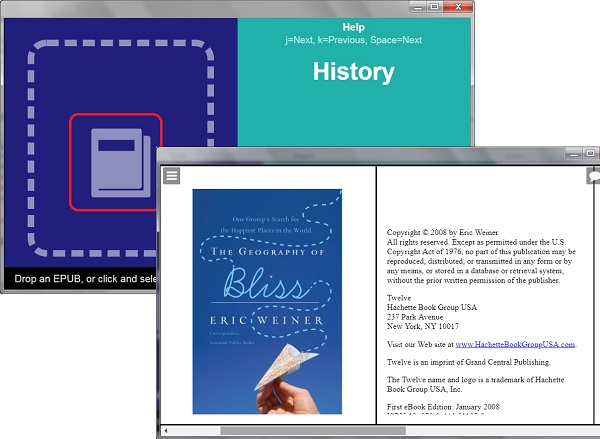
1. Search and run "Simple EPUB Reader". You see the "Simple EPUB Reader" start screen.
2. Click the book icon on left. You the file open box.
3. Locate and select \fyicenter\GeographyofBliss_oneChapter.epub". You see "The Geography of Bliss" EPUB book opened on the screen.
4. Enjoy reading.
The picture below shows you how to run "Simple EPUB Reader" to open and read EPUB books:
2019-01-01, ∼2308🔥, 0💬
Related Topics:
