Attributes of an HTML 'img' Element
Q
What Are the Attributes of an "img" Element?
✍: FYIcenter.com
A
 There are 4 commonly used attributes for an "img" element:
- "src" - Required attribute. Used to specify the URL of the image file.
- "alt" - Required attribute. Used to specify the name of the image.
- "width" - Optional attribute. Used to specify the width of the image.
- "height" - Optional attribute. Used to specify the height of the image.
Here is a tutorial example of an "img" element with all 4 attributes:
<?xml version="1.0" ?>
<!DOCTYPE html PUBLIC "-//W3C//DTD XHTML 1.0 Strict//EN"
  "http://www.w3.org/TR/xhtml1/DTD/xhtml1-strict.dtd">
<html>
 <head>
  <title>Image Attributes</title>
 </head>
 <body>
  <h4>Inline Images</h4>
  <p style="background-color: #eeeeee; padding: 8px;">
   What is the size of this image?
   <img src="/moonrise.jpg" alt="Moonrise"
    width="69" height="91"/>
   width="69" and height="91".</p>
 </body>
</html>
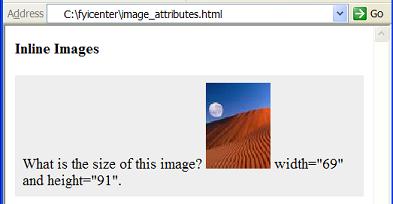
If you save the above document as image_attributes.html, download this image file and view it with Internet Explorer, you will see an image embedded inline with width and height attributes in a text paragraph as shown below:
⇒ Reducing the Display Size of an Image in HTML
2017-03-27, ∼2313🔥, 0💬
Related Topics:

